▌ v0.4.1 · Go runtime · MIT
Terminal UIs,
written as text.
Tuimark is a view language for terminals. Structure lives in .tui markup, style in .tcss, data in JSON, and behavior in named actions. A small Go runtime lays it out on a cell grid, paints it, and dumps every frame as JSON, so a coding agent can check what it built without ever looking at a screen.
go install github.com/abdul-hamid-achik/tuimark/cmd/tuimark@latest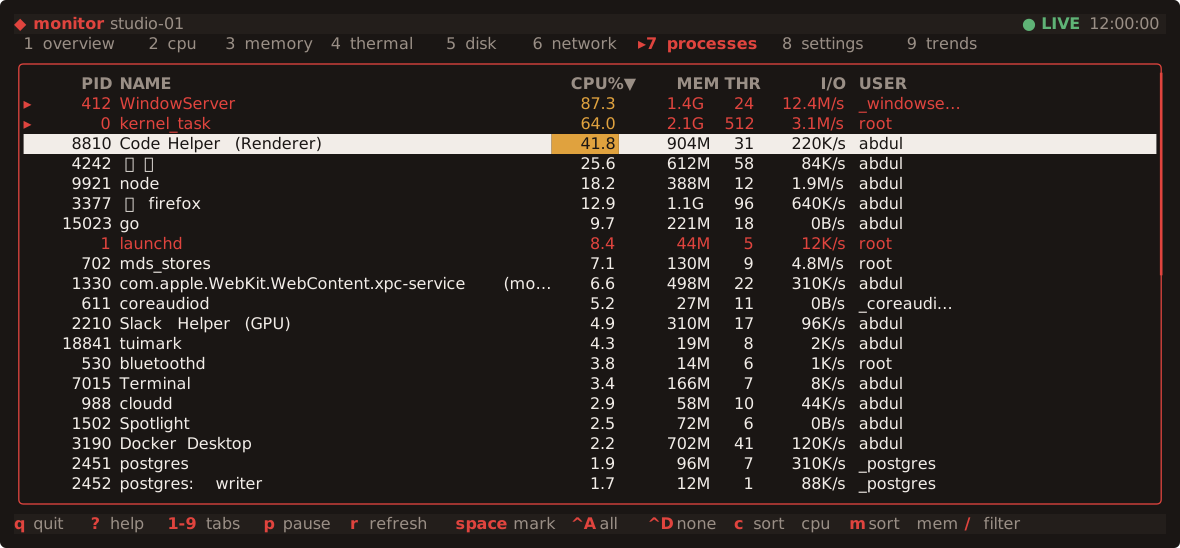
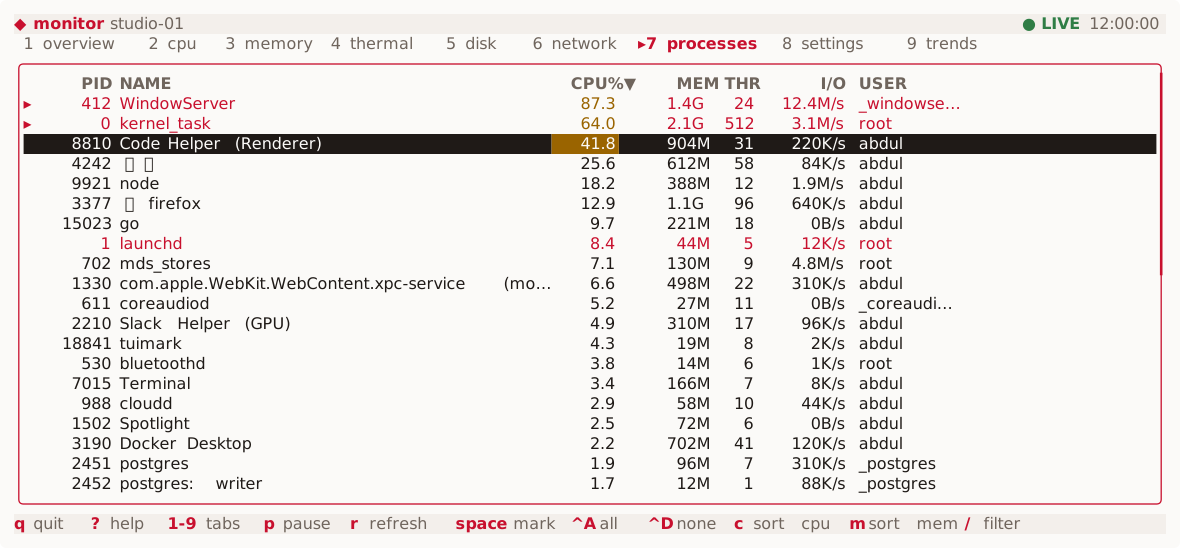
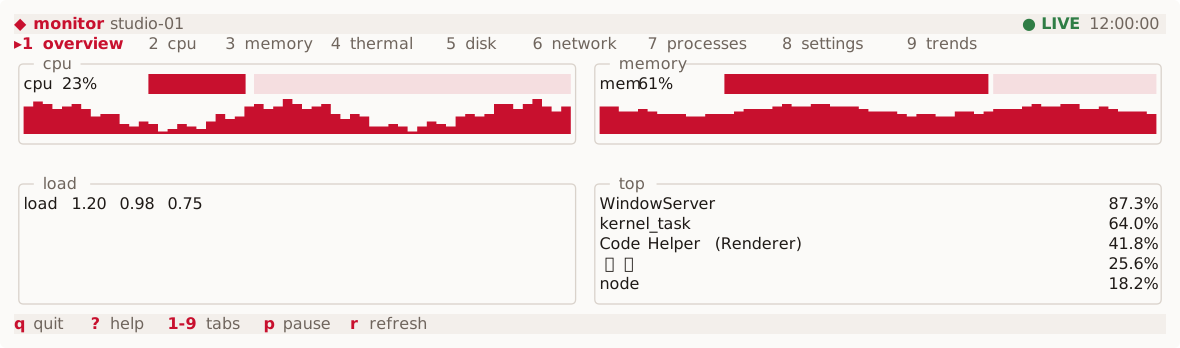
examples/monitor: nine tabs, a sortable process table with multi-select, key hints generated from the keymap, a light and a dark palette. The view is two text files; the Go host only supplies data and handles named actions. This picture is rendered from tuimark play output, like every screenshot on this site. Three files, one frame.
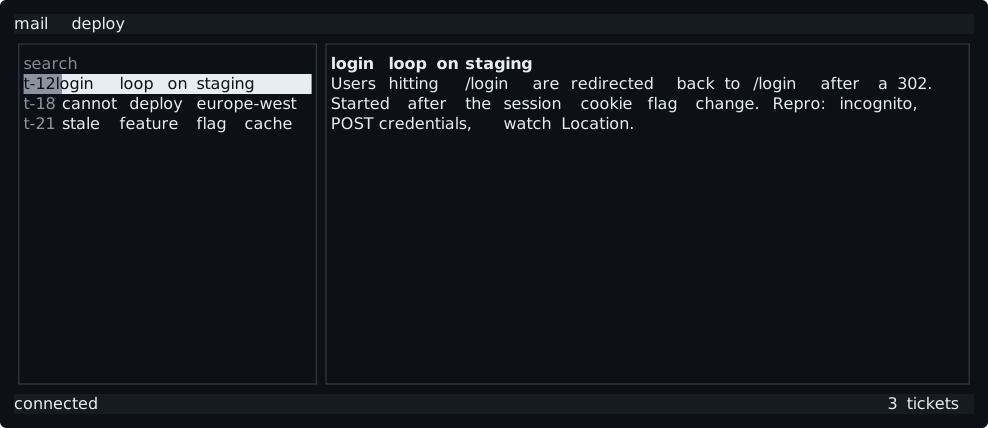
A list bound to an array, a detail pane bound to the selection, key hints built from the keymap, and a media query that stacks the panes on a narrow terminal.
<tui theme="dark">
  <style src="theme.tcss"/>
  <keymap>
    <bind keys="q" action="quit" label="quit"/>
    <bind keys="enter" action="open" when="#tickets:focus" label="open"/>
  </keymap>
  <screen id="main" focus="#tickets">
    <row id="body">
      <list id="tickets" title="tickets" each="tickets as t" key="t.id"
            bind="selected" on:select="preview">
        <item>
          <text>{t.id} {t.title}</text>
        </item>
      </list>
      <box id="detail" title="{current.id}">
        <text wrap="wrap">{current.body}</text>
      </box>
    </row>
    <hints id="keys"/>
  </screen>
</tui>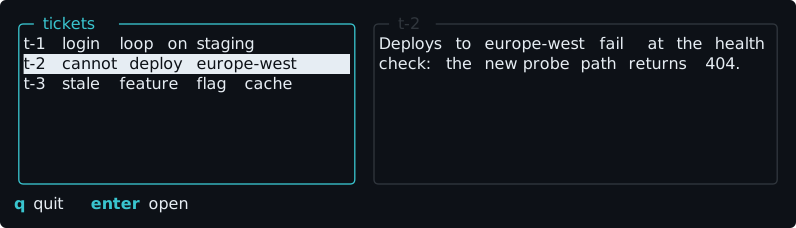
$ tuimark dump app.tui --data sample.json --cols 80
Built for the agent loop.
An agent cannot see a terminal. Tuimark gives it the frame as data instead, and a briefing, tuimark agents, generated from the runtime's own catalogs so it never drifts.
- 1 edit
app.tui · theme.tcss · sample.jsonMarkup, a reduced CSS, and JSON. No Go in the view.
- 2 validate
tuimark validate app.tui --data sample.jsonEvery problem is a code: V parse, L layout, B bind.
- 3 dump
tuimark dump app.tui --data sample.json --cols 80 --rows 10 --format jsonThe frame as data: the grid, every node’s rect, the errors.
- 4 play
tuimark play app.tui --data sample.json --cols 80 --rows 10 --input "down enter"Replay keys, typing and clicks with no terminal; read which actions fired.
{
  "cols": 80, "rows": 10, "ok": true, "focus": "tickets",
  "errors": [],
  "nodes": [
    {"id": "main", "tag": "screen", "x": 0, "y": 0, "w": 80, "h": 10},
    {"id": "body", "tag": "row", "x": 0, "y": 0, "w": 80, "h": 9},
    {"id": "tickets", "tag": "list", "x": 0, "y": 0, "w": 36, "h": 9, "focused": true, "scroll": {"y": 0, "h": 7}},
    {"tag": "item", "x": 1, "y": 2, "w": 34, "h": 1, "key": "t-2", "selected": true},
    {"id": "detail", "tag": "box", "x": 37, "y": 0, "w": 43, "h": 9},
    {"id": "keys", "tag": "hints", "x": 0, "y": 9, "w": 80, "h": 1},
    … 12 more
  ],
  "grid": [ … 10 rows … ]
}1 preview tickets {"t":"t-3"} null
2 open tickets {"t":"t-3"} nullA vocabulary you can hold in your head.
The catalog is closed. An unknown tag is V001, not a new widget; an unknown property is V003. version="2" documents add 6 tags (marked ²) and the rest of the 0.2 vocabulary; version="1" documents keep their exact meaning.
- <tui>
- <style>
- <keymap>
- <bind>
- <screen>
- <col>
- <row>
- <box>
- <scroll>
- <spacer>
- <tabs>2
- <tab>2
- <text>
- <rule>
- <sparkline>2
- <hints>2
- <list>
- <item>
- <input>
- <button>
- <progress>
- <table>2
- <column>2
- <modal>
Real apps, same few files.
Every example in the repository is a .tui, a .tcss, and sample data, with an optional Go host.
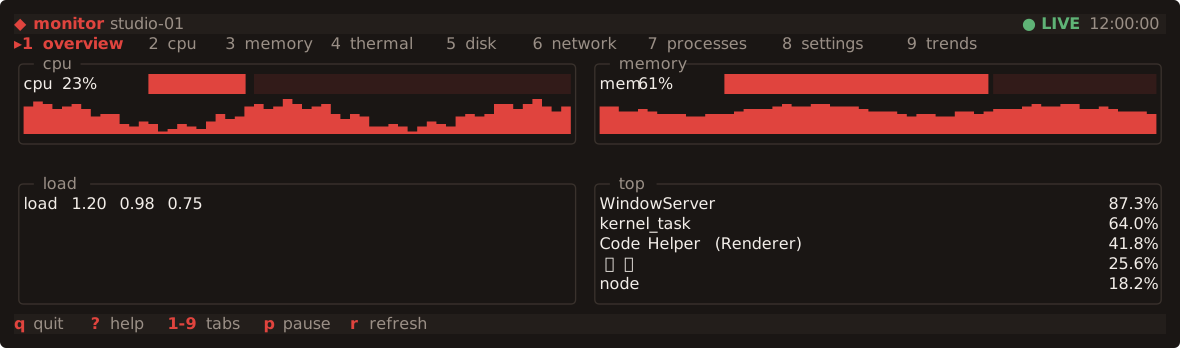
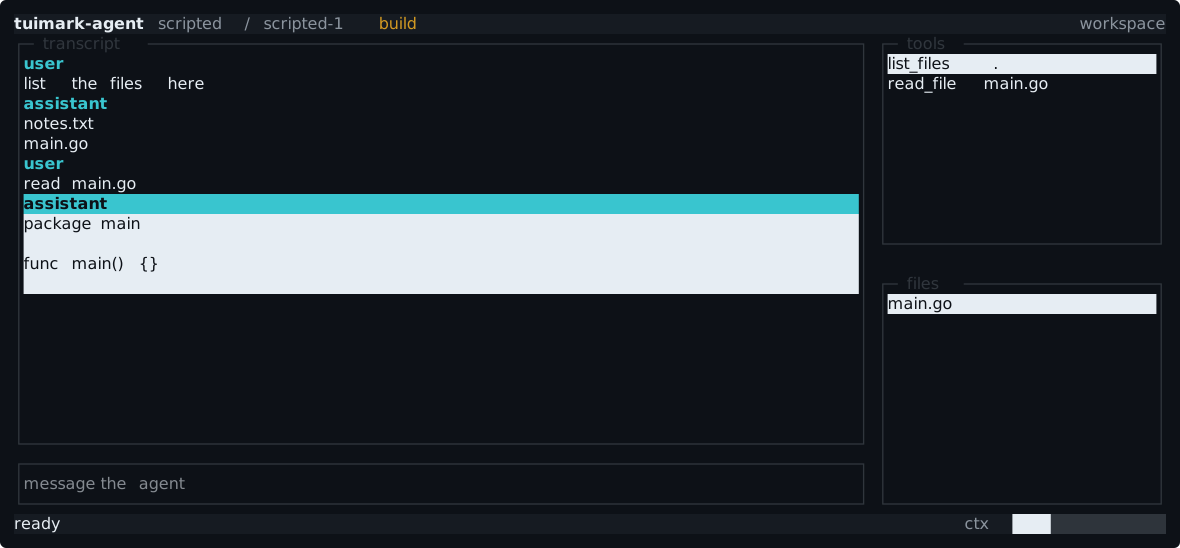
The host is a few lines of Go.
It loads the document, binds data, and answers named actions. Layout, focus, keys, the mouse, colors, and terminal handling stay in the runtime.
ui, err := tuimark.Load("app.tui")
if err != nil {
	return err
}
_ = ui.Bind("", data) // the JSON store
ui.On("preview", func(ev tuimark.Event) error {
	return ui.Set("current", lookup(ev.Keys["t"]))
})
ui.On("open", openTicket)
return ui.Run(os.Stdout)Loadread a .tui fileParseread one from an io.ReaderBindput data in the storeSetchange it while runningOnhandle a named actionCataloglist the actions usedDumprender a frame to JSONValidatelist the diagnosticsRundrive the terminal
Install.
Then run tuimark agents and hand the output to your agent.
Install the CLI with Go
One static binary, no CGO. It lands in $(go env GOPATH)/bin; make sure that is on your PATH.
go install github.com/abdul-hamid-achik/tuimark/cmd/tuimark@latest- 01Check it
tuimark version - 02Read the briefing
tuimark agents - 03Render a frame
tuimark dump app.tui